
Last reviewed and updated:
Level: Student pilots · All guides by level
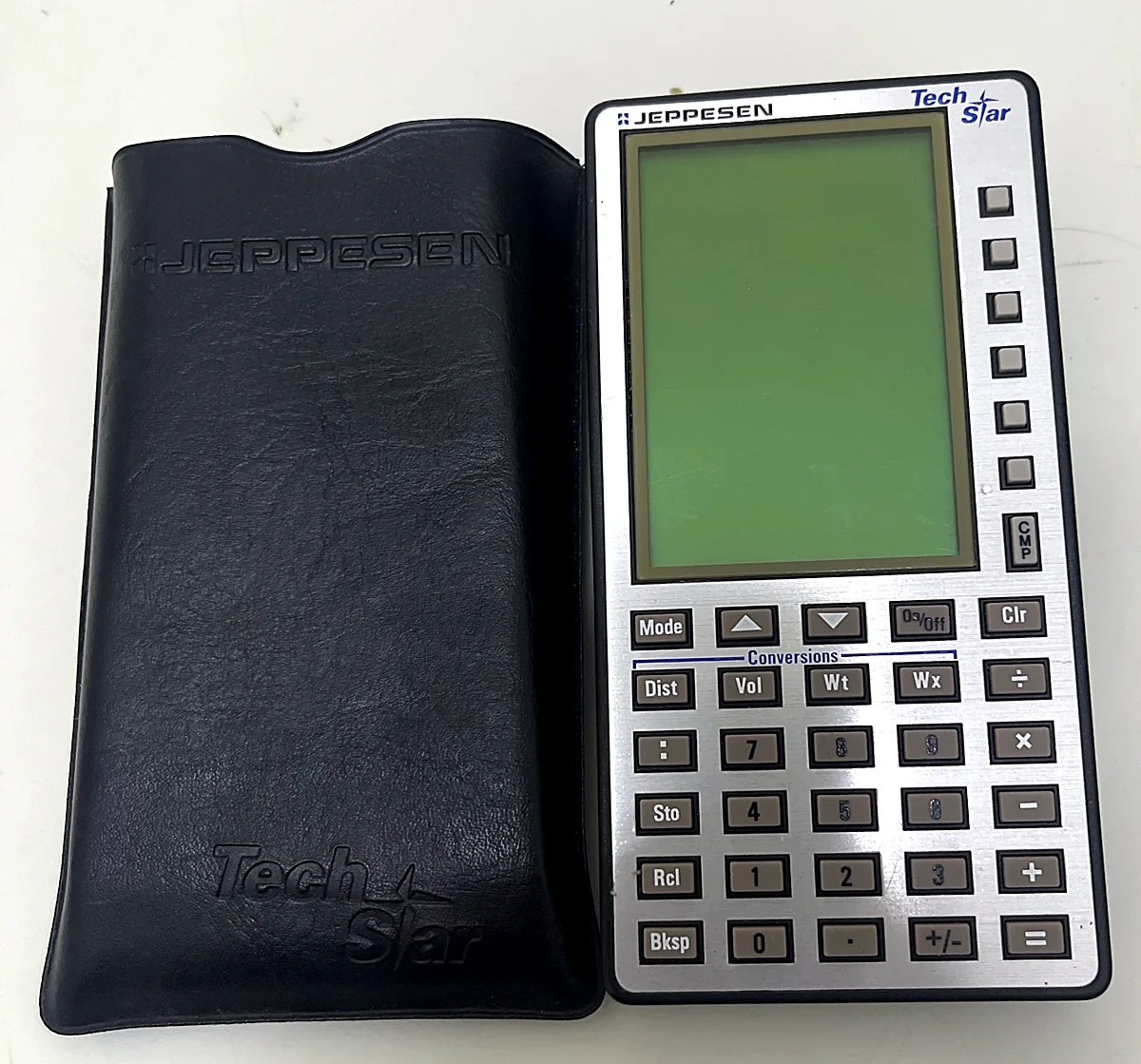
The Jeppesen TechStar is a handheld electronic flight computer, an “electronic E6B”, first introduced in 1992. Instead of the sliding scales and wind face of a manual E6B, it shows labelled prompts on a multi-line screen, such as distance, time and speed. You fill in the values you know and it computes the one you don’t. This guide explains what each key does, how the prompt system works, and how to run the most common flight computer calculations and conversions. Every example shows the math too, so you can check any answer, whether you use a TechStar, a TechStar Pro, another electronic E6B or a free online E6B calculator.
Note: USFITools is not affiliated with Jeppesen. Jeppesen and TechStar are trademarks of their owners. Key labels and exact keystrokes vary between TechStar versions, so use this guide alongside the instructions that came with your unit.
The TechStar at a glance
- Type: prompt-based electronic flight computer with a multi-line LCD
- Introduced: 1992. A later TechStar Pro model added personal-organizer features and latitude/longitude functions.
- Power: 4 × AAA batteries
- Memory: independent memory registers for saving results to use in other calculations
- Key idea: change one value and recompute without re-entering the whole problem
What each key does
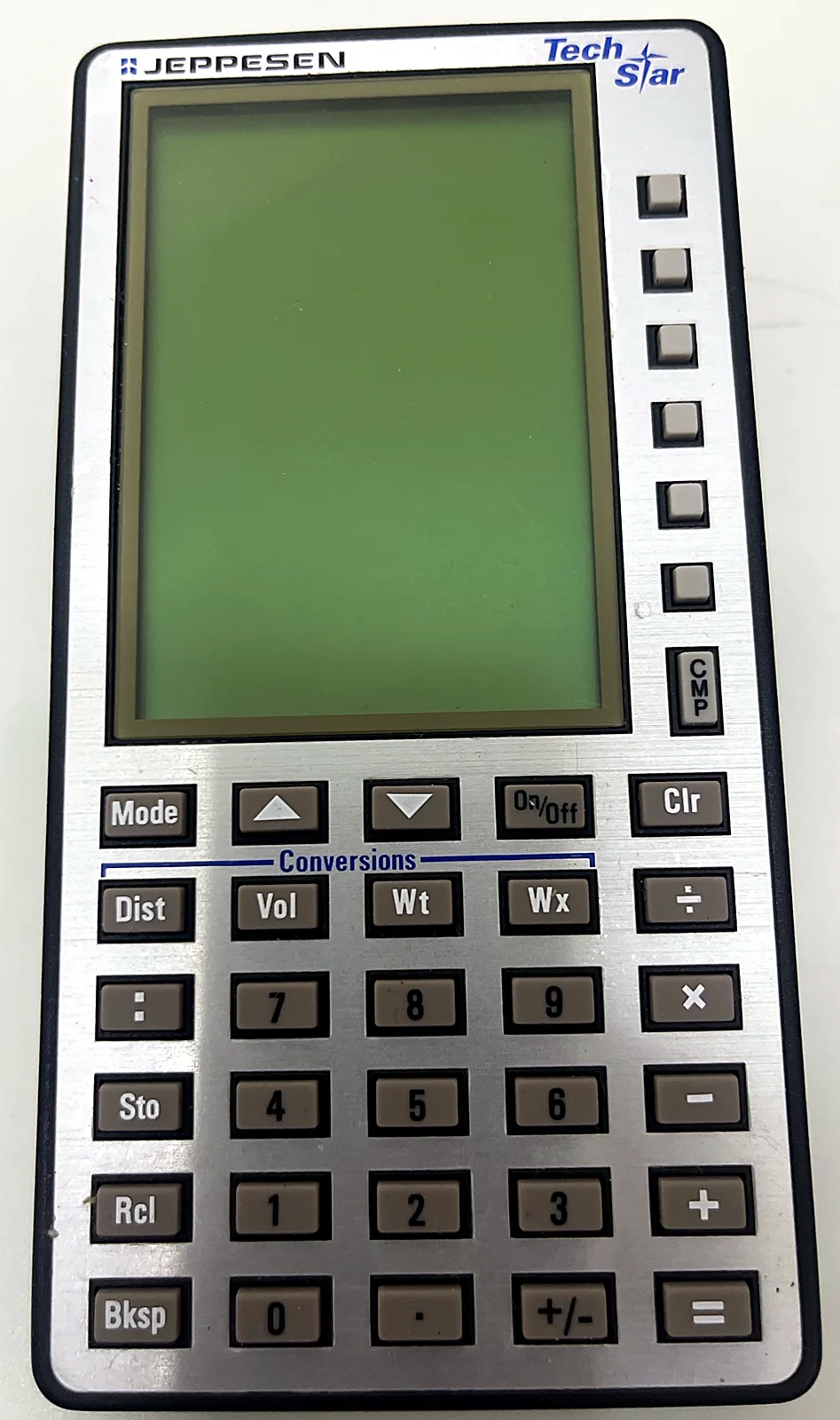
| Key | What it is for |
|---|---|
| On/Off | Turns the unit on and off. |
| Mode | Chooses the type of problem: time-speed-distance, fuel, wind, airspeed and altitude, weight and balance, and so on. |
| ▲ / ▼ | Scroll through the functions in a mode, or through the prompt lines on the screen. |
| Soft keys (the column of blank keys beside the screen) | Each one lines up with a prompt on the display. Use them to put a number onto that line, or to choose the line you want solved. |
| CMP | Compute: solves for the unknown value. |
| Dist, Vol, Wt (Conversions row) | Unit conversions for distance (NM, SM, km), volume (US gallons, imperial gallons, litres) and weight (lb, kg). The fourth key in the row handles other conversions on your model. |
| : | Separates hours, minutes and seconds when you enter a time, for example 1:25:00. |
| Sto / Rcl | Store a result in a memory register, and recall it later. |
| Bksp | Deletes the last digit typed, so you don’t have to clear the whole entry. |
| Clr | Clears the current entry or problem. |
| +/− | Changes the sign. Use it for temperatures below zero. |
| ÷ × − + = | Ordinary calculator arithmetic. |
How the prompt system works
A manual E6B makes you line up scales. A prompt-based flight computer works more like a form you fill in:
- Choose the mode for the problem, for example time-speed-distance.
- Read the prompts. The screen shows labelled lines, such as DST (distance), TIM (time) and SPD (speed).
- Enter what you know. Type a number and press the soft key beside its line.
- Compute the unknown. Select the empty line and press CMP (or that line’s key, depending on the model).
- What-if. Change one line, such as a new groundspeed, and compute again. The other values stay put.
This “change one thing and recompute” feature is the main advantage of an electronic flight computer over a whiz wheel. It makes trying different groundspeeds, fuel burns or winds very quick.
Time, speed and distance
Formula: Distance = Speed × Time. Time = Distance ÷ Speed. Speed = Distance ÷ Time.
Worked example: groundspeed 280 kt for 2 hours 30 minutes. Enter SPD 280 and TIM 2:30:00, then compute DST: 280 × 2.5 = 700 NM.
Check your answer: Time, Speed & Distance Calculator · Time-Speed-Distance E6B guide
Fuel burn, fuel required and endurance
Formula: Fuel used = Fuel flow × Time. Endurance = Fuel on board ÷ Fuel flow.
Worked example: 8.5 US gal/h for 2 hours 15 minutes uses 8.5 × 2.25 = 19.1 gal. With 40 gal usable, endurance is 40 ÷ 8.5 = 4.7 h, or 4 h 42 min, before reserves.
Check your answer: Aviation Fuel Calculator · VFR fuel reserve requirements
Wind: heading and groundspeed
This is the wind triangle a manual E6B solves on its wind side. Enter true course, true airspeed, wind direction and wind speed, and compute the heading and groundspeed.
Formula: Wind correction angle = arcsin(crosswind ÷ TAS). Groundspeed = TAS × cos(WCA) − headwind component.
Worked example: true course 090°, TAS 120 kt, wind 030° at 20 kt. The wind is 60° off the nose from the left. Crosswind = 20 × sin 60° = 17.3 kt. WCA = arcsin(17.3 ÷ 120) = 8.3° left, so the true heading is 082°. Headwind component = 20 × cos 60° = 10 kt. Groundspeed = 120 × cos 8.3° − 10 = 109 kt.
Check your answer: Wind Correction Angle Calculator · True and magnetic heading explained
Crosswind and headwind components
Formula: Crosswind = wind speed × sin(angle off the runway). Headwind = wind speed × cos(angle).
Worked example: runway 27 (270°), wind 300° at 15 kt, so the angle is 30°. Crosswind = 15 × 0.5 = 7.5 kt. Headwind = 15 × 0.866 = 13 kt.
Check your answer: Crosswind & Headwind Calculator
Density altitude and true airspeed
Formulas: ISA temperature = 15 °C − 1.98 °C per 1,000 ft. Density altitude ≈ pressure altitude + 118.8 × (OAT − ISA temperature). TAS = CAS ÷ √(air density ratio). The quick rule is TAS ≈ CAS + 2% per 1,000 ft.
Worked example: pressure altitude 6,000 ft, OAT +15 °C. ISA at 6,000 ft is 3.1 °C, so the air is 11.9 °C warmer than standard. Density altitude ≈ 6,000 + 118.8 × 11.9 = about 7,400 ft. A CAS of 120 kt at that density altitude gives a TAS of about 134 kt. The 2% rule gives 138 kt, which shows how rough the rule is.
Check your answer: Density Altitude Calculator · True Airspeed Calculator · Pressure Altitude Calculator
Weight and balance
Formula: Moment = Weight × Arm. CG = Total moment ÷ Total weight.
| Item | Weight (lb) | Arm (in) | Moment (lb-in) |
|---|---|---|---|
| Empty aircraft | 1,500 | 85.0 | 127,500 |
| Pilot and front passenger | 340 | 37.0 | 12,580 |
| Fuel, 40 gal × 6 lb | 240 | 48.0 | 11,520 |
| Baggage | 50 | 95.0 | 4,750 |
| Total | 2,130 | 73.4 | 156,350 |
CG = 156,350 ÷ 2,130 = 73.4 in aft of datum. Compare this with the envelope in your POH. The example figures are for illustration only.
Weight shift: moving 50 lb of baggage 60 inches forward changes the CG by 50 × 60 ÷ 2,130 = 1.4 in forward.
Check your answer: Weight and Balance Calculator · Weight and balance guide
Unit conversions
The Dist, Vol and Wt keys handle the conversions pilots use most. These are the factors behind them:
| Conversion | Factor | Example |
|---|---|---|
| Nautical miles → statute miles | × 1.15078 | 100 NM = 115 SM |
| Nautical miles → kilometres | × 1.852 | 100 NM = 185 km |
| US gallons → litres | × 3.785 | 40 US gal = 151 L |
| Imperial gallons → litres | × 4.546 | 40 imp gal = 182 L |
| Pounds → kilograms | ÷ 2.20462 | 2,130 lb = 966 kg |
| Avgas volume → weight | × 6.0 lb per US gal (standard planning value) | 40 gal = 240 lb |
| Jet A volume → weight | × about 6.7 lb per US gal (varies with temperature) | 500 gal ≈ 3,350 lb |
| °C → °F | × 9/5 + 32 | −10 °C = 14 °F |
| Feet → metres | × 0.3048 | 8,000 ft = 2,438 m |
| inHg → hPa | × 33.8639 | 29.92 inHg = 1013.2 hPa |
Check your answer: Nautical Miles Converter · Aviation Fuel Weight Converter · Feet / Metres Converter · QNH hPa / inHg Converter
Time arithmetic with the “:” key
Times on a flight computer are in hours, minutes and seconds, not decimals. Adding leg times 0:42 + 1:18 + 0:35 gives 2:35, where an ordinary calculator would give a meaningless 2.95. Enter each time with the “:” key so the computer carries the minutes correctly.
Check your answer: Flight Hours Calculator · UTC / Local Time Converter
Using the memory registers
Use Sto to save a result, such as each leg’s fuel burn, and Rcl to bring it back into a later calculation, such as total fuel required. Clear the memories before an FAA knowledge test (see below) and when you start a new flight plan, so old numbers don’t creep in.
Can I use an electronic flight computer on the FAA knowledge test?
Yes. FAA rules on test aids, now in FAA Order 8080.6H, Conduct of Airman Knowledge Tests (they replaced AC 60-11C, cancelled in August 2025), allow aviation-oriented calculators, including electronic flight computers. The proctor must be able to confirm that the memory has been erased, and may refuse a device that can’t show this. Phone and tablet E6B apps are not allowed in the testing room. Before your private pilot, instrument, commercial or dispatcher written exam, practise clearing the memory and bring spare batteries.
Electronic E6B, manual E6B or an app?
- Manual E6B: no batteries and allowed everywhere. Slower, and easy to misread a scale.
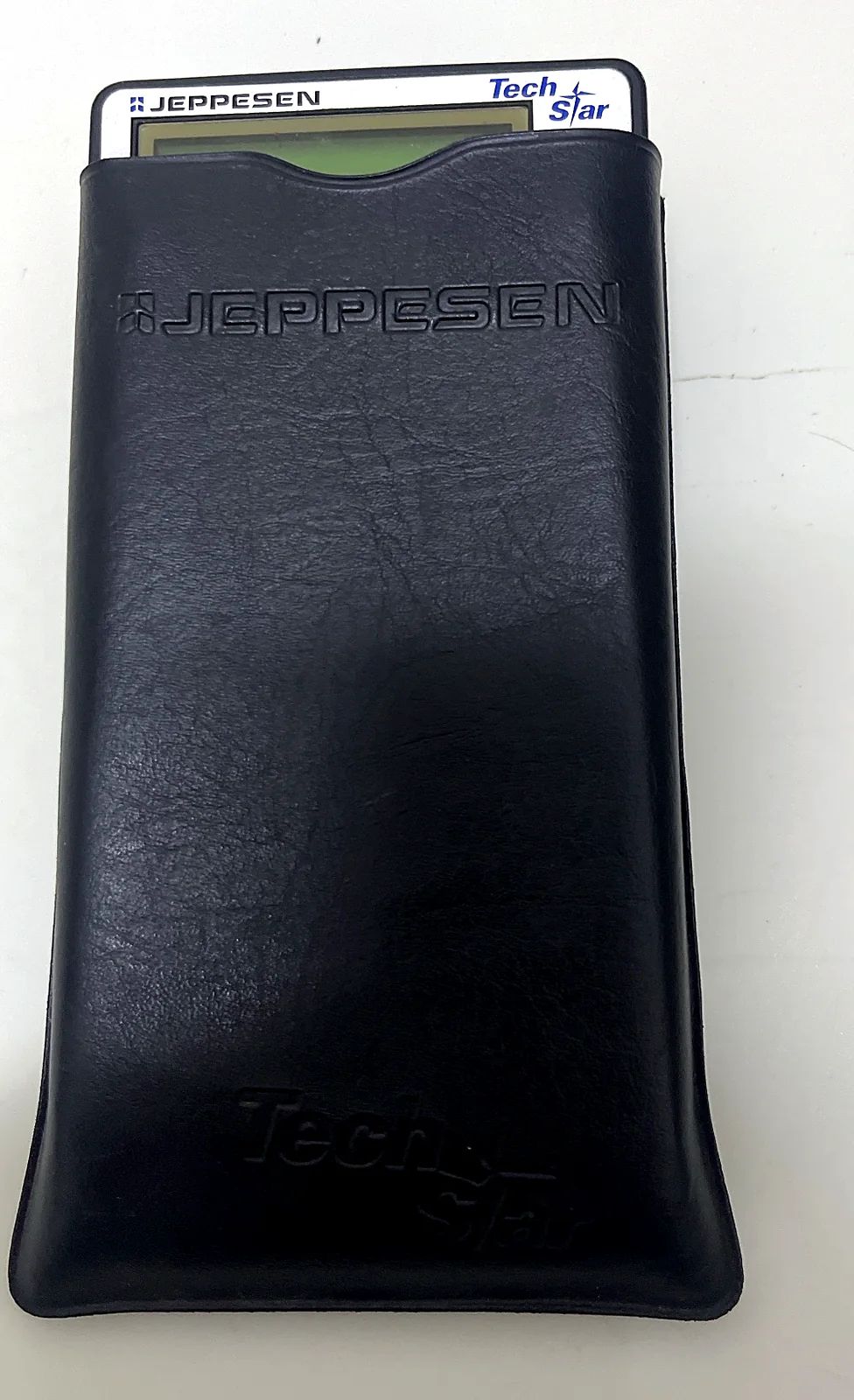
- Electronic flight computer (TechStar or similar): faster what-if calculations, labelled prompts and no reading errors. Needs batteries.
- EFB and E6B apps: convenient for flight planning, but not allowed on the knowledge test, and only as reliable as your tablet’s battery.
A sensible EFB backup strategy is to plan in your app, carry a manual or electronic E6B as a backup in flight, and keep a paper copy of your key numbers. Treat any device as a cross-check, not a replacement for your judgement.
Troubleshooting
- Blank or faint display: replace all four AAA batteries at once.
- Answer looks wrong: check the units on each prompt line (knots vs mph, US vs imperial gallons, °C vs °F). Unit mix-ups cause most errors.
- Times look strange: make sure you entered times with the “:” key, not as decimals.
- No manual: use the formulas on this page to confirm each function, then build up your own quick-reference card.
Frequently asked questions
Is the Jeppesen TechStar a good E6B?
For pilots who prefer typing to sliding scales, yes. Its labelled prompts and recompute feature make what-if planning fast. Original units date from the early 1990s and are mostly found second-hand today, so check the screen and battery contacts before buying one.
What is the difference between the TechStar and the TechStar Pro?
The TechStar Pro is a later model. It added a larger display, personal-organizer features and latitude/longitude calculations to the core flight computer functions.
Is there a free E6B flight computer online?
Yes. Every calculation in this guide has a free calculator on USFITools, listed under Aviation Tools, which you can use to check your flight computer’s answers.
Where can I find the TechStar manual?
Jeppesen does not appear to offer it as a public download. Contact Jeppesen support, or use the formulas and worked examples on this page to check each function.
Sources: FAA Order 8080.6H, Conduct of Airman Knowledge Tests (test aids; replaces AC 60-11C, cancelled August 2025); FAA Pilot’s Handbook of Aeronautical Knowledge (FAA-H-8083-25C), chapters on navigation and weight and balance; Datamath Calculator Museum, Jeppesen Sanderson Techstar entry; Aviation Week, coverage of the Jeppesen TechStar Pro.
Related: Student Pilot Ground School Toolkit · Aircraft Dispatcher Practice Test · Aviation Photo Quiz